MOD Plugin Cookbook
Describe the effect you want to hear and get a plugin running on your MOD device. The MOD Plugin Cookbook is a set of instructions that an AI assistant reads to write a MOD plugin for you.
How it works
1. Describe it
Talk through your idea with the AI of your choice: Claude, ChatGPT, Gemini, or any assistant that can open web links. Give it the link to the cookbook. It produces a single .mk build file.
2. Upload it
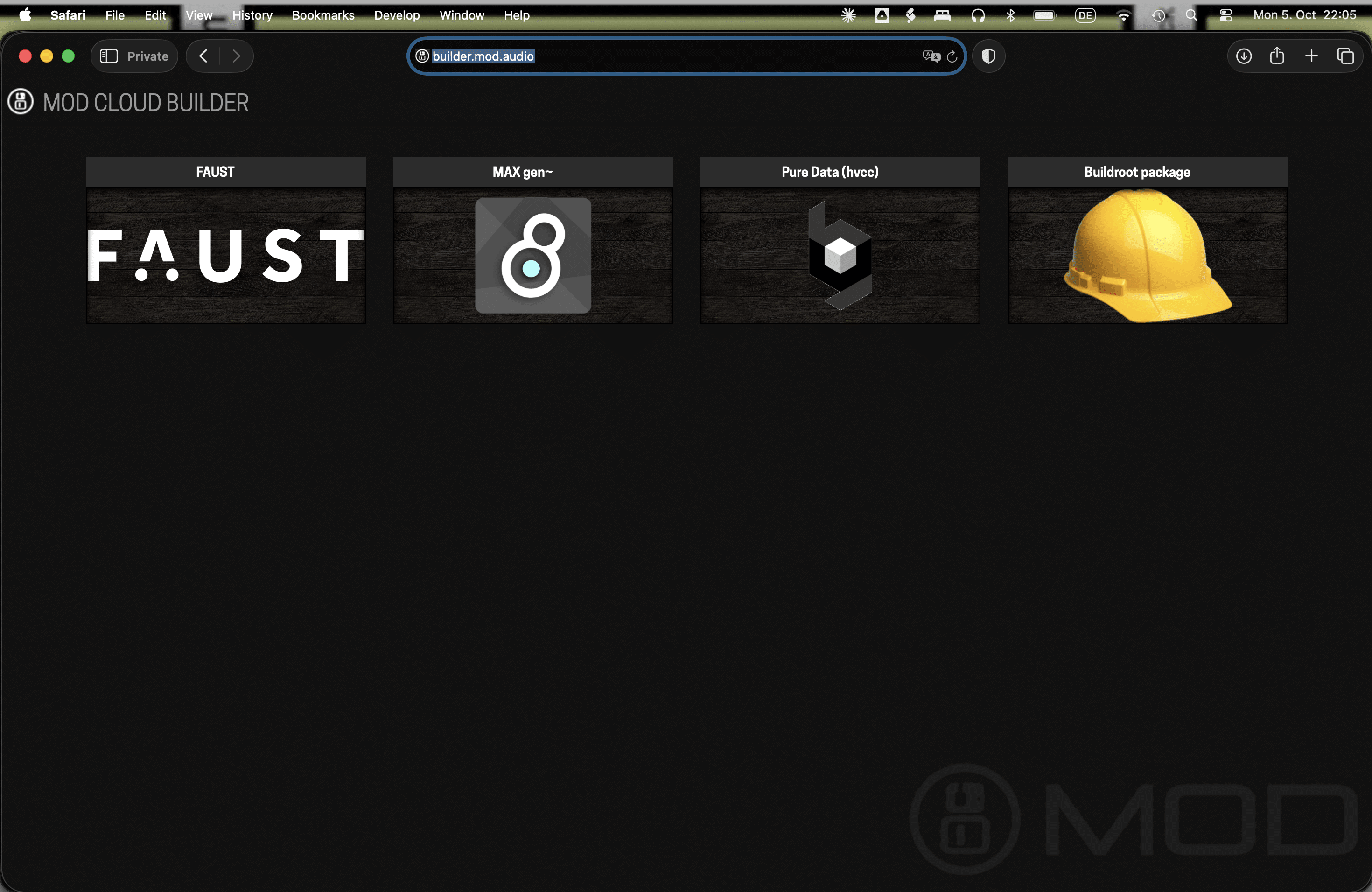
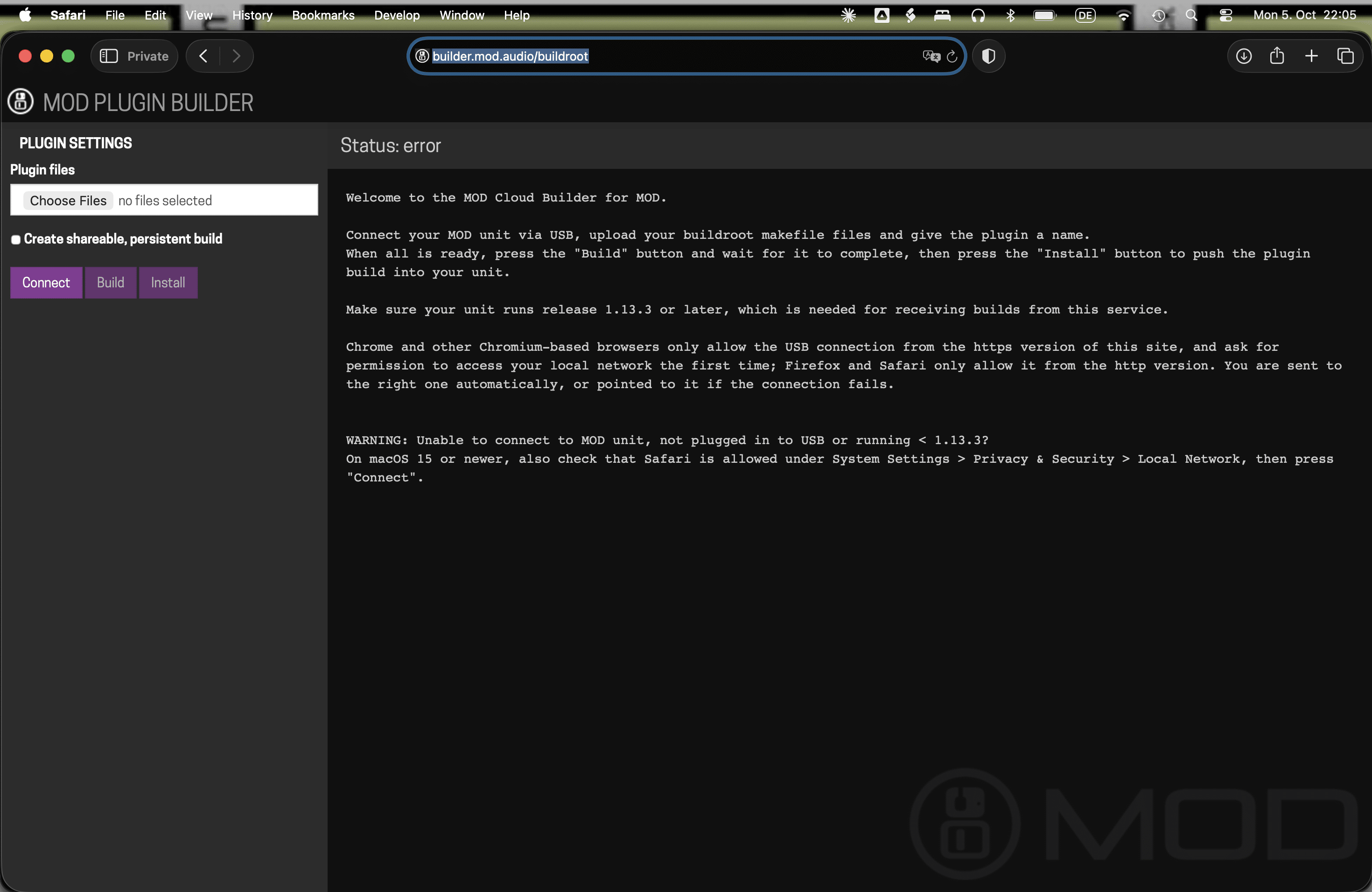
Open the MOD Cloud Builder with your MOD device connected over USB, and upload the .mk file.
3. Build and install
Tell the Builder to build, then to install. The plugin shows up in the Web UI.
What to ask for
You can ask for a model of a specific pedal, or have a more open conversation about sound design: “a wavefolder that gets harsher as it’s pushed”, “a chorus that doesn’t add lows”. That is up to you and the AI you work with.
Share what you make
When uploading, tick “shareable persistent link”. The Builder gives you a URL that anyone with a MOD device can open to install the same plugin.
Post your plugin in the cookbook category on the forum, so others can try it and give feedback.
Discuss the cookbook itself on the forum →
Current limits
The cookbook keeps everything in one file, which makes it simple: nothing to install, nothing to push anywhere. It also sets some limits:
- One source file per plugin.
- No external libraries beyond DPF.
- No custom pedal graphics. Plugins use the standard auto-generated interface.
- Changes mean regenerating the whole file and uploading it again.
- Around 1000 lines of DSP code is a practical maximum.
For larger projects, see the other ways to build plugins on the Open Platform page.
Stay in the loop
Be the first to know about new plugins and releases.